

In some cases when having particular date settings on your Windows PC, the regional settings, it can cause some of the Date Tokens Values of Foxtrot to be incorrect or blank. Support for all regional settings is one of the future enhancements to Foxtrot, meanwhile, this article while cover how to retrieve such values to variables and overcome the issue.
To solve the problem, you may choose between utilizing below solution or change your regional settings to American as illustrated in the following video
The best way to retrieve Date Token Values into Variables is to utilize the VBScript ability. This will enable you to retrieve any kind of date value available by VBScript into a variable in your Foxtrot script. We have made the solution for some of the most commonly requested values.
At the end of the article, you can find the solutions attached to Foxtrot Project script that you can download and import to your scripts as illustrated in the following video
- For reference to how to utilize VBScript to retrieve date values, please check out this guide
Day Name
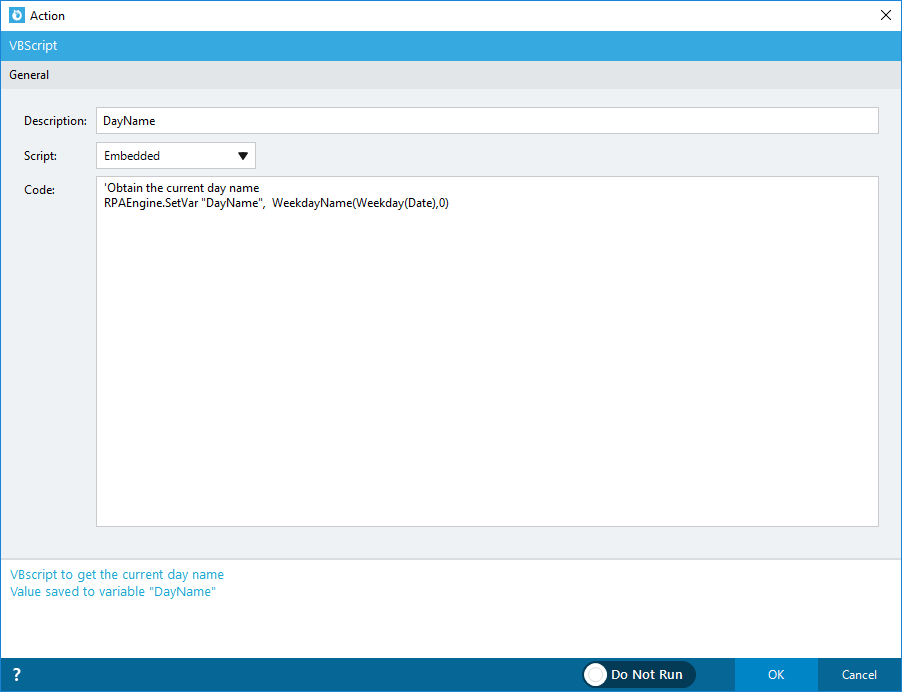
Day Of Week

Month Total Days

Next Month Total Days

Previous Month Total Days

Tomorrow Day Name

Tomorrow Day Of Week

Yesterday Day Name

Yesterday Day Of Week

Comments
0 comments
Please sign in to leave a comment.